
Systems Online

IPTV Subscription Plans, Paid Once, No Auto-Renewal

Pick a 1, 3, 6 or 12 month IPTV subscription for live TV, films and series. Every plan is one payment, and you test it free for 24 hours first.

Save Big with Our Yearly Plan

Just $7.90 /Month!

24H Free Trial - No Payment Required
4.6 based on 14086 reviews.
London
Paris
Frankfurt
Amsterdam
Stockholm
Helsinki
Los Angeles
Quebec
Singapore
Sydney
Bangkok
Jakarta
Logos of the supported devices and platforms
Incredibly features

One IPTV subscription, every device you own

Super Quick Setup
Premium Content
Customizable Playlists
24/7 customer support

Pricing Plans

IPTV subscription prices

Personal Reseller

*New here? Start with the free 24-hour trial. You give your email and preferred language, and the login details come to you by email. No card, no payment, nothing to cancel.

Visa Mastercard PayPal American Express Bitcoin and other cryptocurrencies
Do you have

Any questions?

What happens right after I buy an IPTV subscription?
A member of our support team guides you through setting up the subscription on your device, step by step, until it plays.
Can my subscription be tailored to the channels I watch?
Yes. Contact support at any time and we adjust the channels, films and series in your playlist, at no extra cost.
Does one subscription cover two TVs watching at the same time?
A subscription plays on one device at a time. You can move it between devices by signing out on one and signing in on the next. * An additional connection is available for an extra fee if two screens must play together.
Do I have to cancel the subscription so it stops?
There is nothing to cancel: a subscription is paid once and does not renew on its own. Every new customer first gets a 24-hour trial with full access. If the trial does not fully convince you, simply do not take a paid plan, because paid plans are not refunded.
How can I pay for an IPTV subscription?
PayPal and cards: Visa, Mastercard, Amex, Maestro, Interac, Cartes Bancaires and most other debit and credit cards. Crypto is accepted too and lowers the price.
Is on-demand content part of the subscription?
Yes. Every subscription includes live TV channels plus a large library of films and series on demand.
Is a VPN needed with this subscription?
No. The service is built to work without a VPN. Some customers use one for privacy, and that is their choice.
Does the subscription work when I travel?
Yes. Your subscription works anywhere you have a stable internet connection.
Does the subscription get new content over time?
Yes. Channels and the on-demand library are updated regularly while your subscription runs.
Who helps me if the subscription stops working?
Our support team answers 24/7 at no charge. Contact support. Note that we do not control the IPTV app itself: for app-specific problems, contact its maker or try another recommended app.
Devices

One subscription for every screen in the house

A single XtreamCube subscription runs on the devices most homes already have:

  • Smart TVs: Samsung and LG, plus Sony, Philips, Panasonic and other Smart TVs.
  • Streaming sticks and boxes: Amazon Fire TV Stick, Roku, Google Chromecast, Nvidia Shield, Apple TV and similar.
  • IPTV boxes: MAG, Android TV boxes, Formuler Z and others.
  • Phones and tablets: Android phones and tablets, iPhone and iPad.
  • Computers: Windows, Mac and Linux.
  • Consoles: Xbox and PlayStation, through compatible apps.
  • Anything else: if it runs an IPTV app, the subscription can run on it.

You install the app once per device and sign in with the same subscription details.

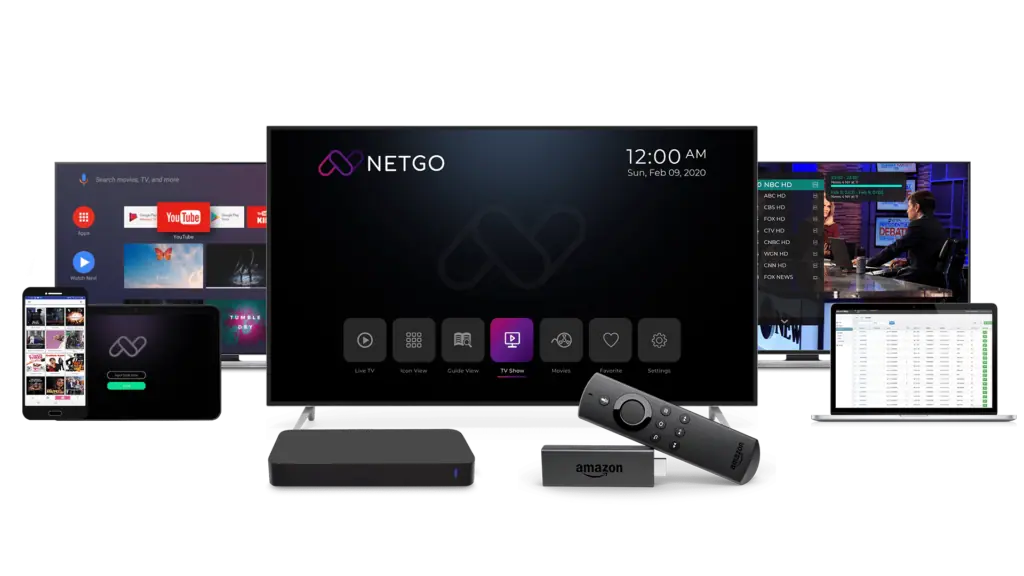
The service running on a television, a tablet, a phone and a laptop
Server locations

25 Servers Worldwide

World map
  • Canada
  • United States
  • Brazil
  • Sweden
  • France
  • South Africa
  • China
  • Indonesia
  • Australia
London
Paris
Frankfurt
Amsterdam
Stockholm
Helsinki
Los Angeles
Quebec
Singapore
Sydney
Bangkok
Jakarta
Server locations

Your subscription is served from 25 servers around the world.

The subscription gives you live channels, films and series from servers spread across several continents. The library is refreshed on a regular basis, so what you pay for keeps growing during your plan.

IPTV Apps

Which app to install with your subscription

Note: the subscription works with any IPTV app. These are simply the apps most people choose today, sorted by device.

Android / Android TV / Firestick

Recommended Apps
• Bob Player (7‑day trial)
• IBO Player (7‑day trial)
• TiviMate
• Perfect Player
• IPTV Extreme
• 9Xtream
Advantages
• Intuitive interface
• Highly customizable layouts
• Smooth playback performance
Connection Methods
• Xtream Codes
• M3U

Smart TV (Samsung / LG)

Recommended Apps
• Bob Player (7‑day trial)
• IBO Player (7‑day trial)
• SetIPTV
• NetIPTV
• Smart IPTV
• Ego Player
Advantages
• Native Tizen/webOS support
• Easy, responsive navigation
Connection Methods
• MAC Address
• M3U

iOS (iPhone / iPad)

Recommended Apps
• UHF
• GSE Smart IPTV
• IPTV Extreme
• 9Xtream
Advantages
• Sleek, Apple‑style UI
• AirPlay & Picture‑in‑Picture support
Connection Methods
• Xtream Codes
• M3U

Apple TV

Recommended Apps
• Bob Player (7‑day trial)
• IBO Player (7‑day trial)
• UHF
• 9Xtream
Advantages
• Optimized for tvOS
• Siri & Remote integration
Connection Methods
• Xtream Codes
• M3U

Windows

Recommended Apps
• Bob Player (7‑day trial)
• IBO Player (7‑day trial)
• Expert IPTV
• MyIPTV Player
• IPTV Smarters
Advantages
• Full‑HD & 4K support
• Custom EPG & Subtitle integration
Connection Methods
• Xtream Codes
• M3U

Mac

Recommended Apps
• UHF
• GSE Smart IPTV
Advantages
• macOS native UI
• Continuity & AirPlay support
Connection Methods
• Xtream Codes
• M3U

MAG Devices

Recommended Apps
• Native MAG interface (no installation)
• Use portal URL/MAC address
Advantages
• Rock‑solid stability
• Instant channel loading
Connection Methods
• MAC Address
• Xtream Codes

Enigma2 (Receivers)

Recommended Apps
• Xtream Editor
• Jedi Maker Xtream
Advantages
• Highly configurable plugins
• Low‑latency streaming
Connection Methods
• Xtream Codes

Linux

Recommended Apps
• Kodi
• IPTV Extreme (via emulator)
Advantages
• Supports all major IPTV formats
Connection Methods
• Xtream Codes
• M3U
Exclusive IPTV Offers - 24h Trial

Start with a free 24-hour trial, then choose the subscription length that suits you.

Try the full service free for 24 hours, then take a subscription of 1, 3, 6 or 12 months with global channels, regular content updates and support around the clock.

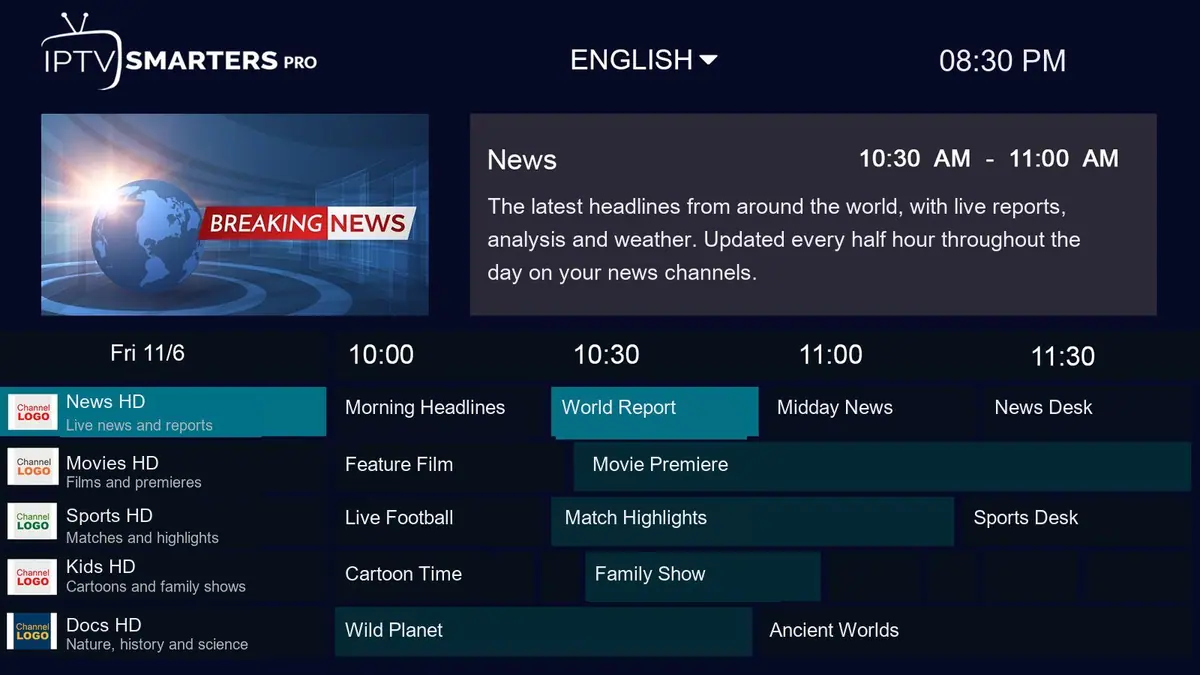
Electronic Program Guide
EPG
Lifetime
Free Updates
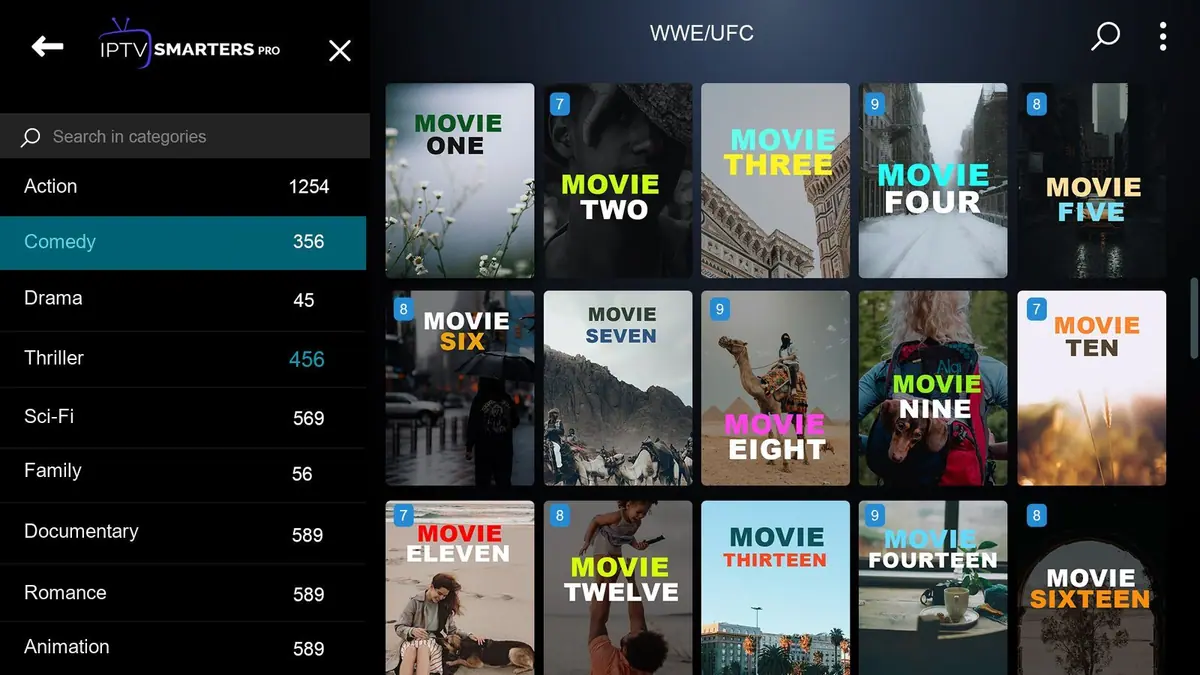
XtreamCube movie library browsed by category
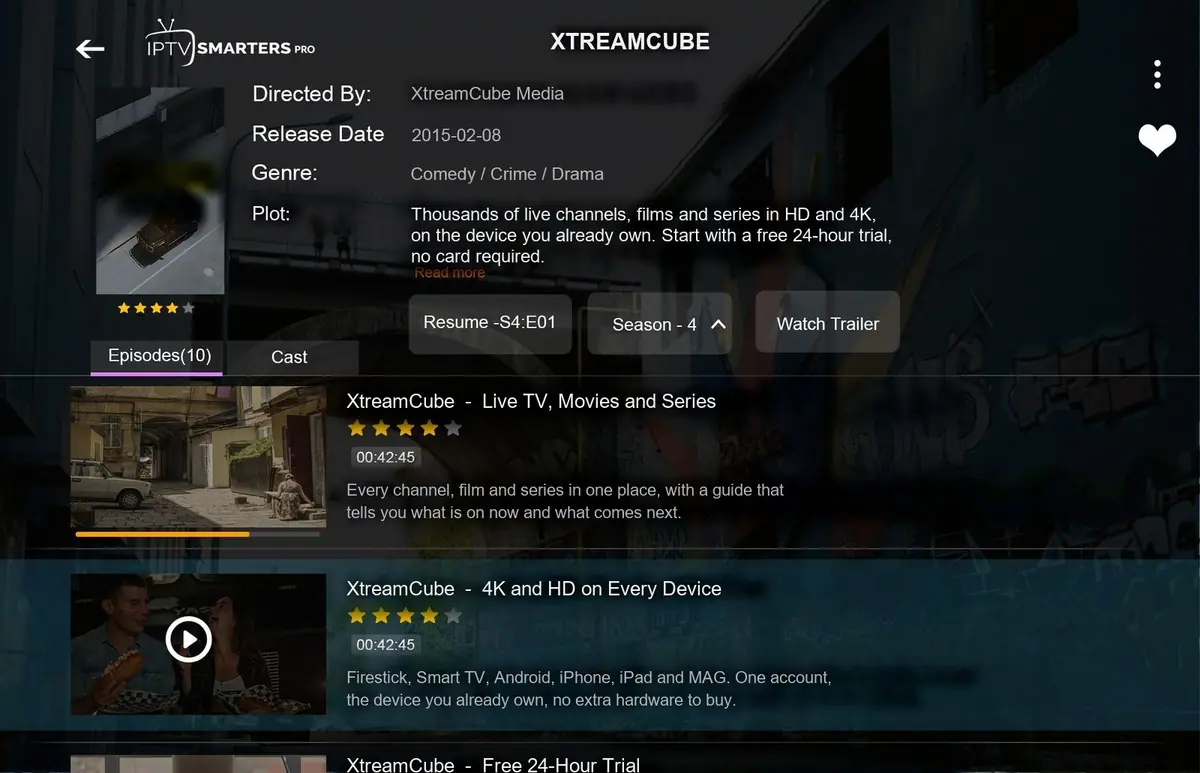
XtreamCube app showing live TV, movies and series on any device
XtreamCube TV guide showing live channels and programme times

Why Choose XtreamCube?

  • ✔️ The subscription runs on Android, Smart TVs, Fire TV and more
  • ✔️ Every new customer gets a 24-hour trial before paying
  • ✔️ Help by email, WhatsApp and live chat
  • ✔️ Install it on all your devices, one stream plays at a time
  • ✔️ Servers are monitored and the status page is public

Three steps to your subscription

  1. Take the free trial, then pick 1, 3, 6 or 12 months
  2. Install an app such as IBO Player or TiviMate
  3. Sign in with the details we email you and start watching

Start the free trial – Compare subscription prices – See live server status

15425

HAPPY
CUSTOMERS

8745

ACCOUNTS
ORDERED

37

EXPERTS
ON OUR TEAM

7

YEARS
EXPERIENCE

What you get

One IPTV subscription, every device you own

Super Quick Setup

You receive the login details by email and your app is ready within minutes.

Premium Content

Live TV, films and series, set up for the countries you choose.

Customizable Playlists

Your playlist can be trimmed to what you watch, free of charge.

24/7 customer support

Real people reply day and night, included in every subscription.

Set it up on the device you already own

Start here

Before any subscription, a free trial

We never open a paid subscription without a trial first. It is free, needs no payment details, and shows you how the service behaves on your own TV and your own internet.

$0 for the trial

You see the exact service you would be paying for, before paying anything.

No card, no wallet 24 hours A person sets it up with you Nothing renews on its own
Open a trial account

Renewing an existing subscription? The renewal form is lower on this page.

After the trial

Subscription length and the number of screens

These prices are for renewing an existing subscription. Each period is paid in full once, at the start.

How long

The price shown is the whole cost of the period, paid once. There is no monthly billing and the subscription does not renew by itself.

Payment method

Card or PayPalStandard rate
CryptocurrencyDiscounted

Screens playing at exactly the same time

1device at a time

Your subscription already covers every device you own, from the TV to the phone, the box and the laptop. Install it on all of them and move between them freely. One rule applies: one stream at a time, so close the app on one device before starting it on another.

Ask for an extra login here only when two devices must play different things simultaneously. Every extra login has its own username and password and is priced lower than a main subscription.

Your total

Rate for one login—
Logins—

You pay, once

—

Renew or add an account No account yet? Open a trial first

You are not charged on this website. You send the request, a member of staff checks it, and the payment link arrives by email.

Ways to pay

Paying for your subscription

Cards and wallets

Visa Mastercard PayPal American Express Bitcoin and other cryptocurrencies

Maestro, Interac, Cartes Bancaires and most debit and credit cards work too. You do not need a PayPal account: PayPal lets you check out as a guest with a card.

5% off on the whole total when you pay in cryptocurrency. The chooser above and the renewal form both apply it for you.

How it works

  1. You send the form. Nothing is charged here.
  2. Our team checks the request and emails you a payment link.
  3. You pay through that link and your subscription is activated.

Prefer a different payment method? Ask on the live chat and we will find a way with you.

Every plan

What every subscription includes, whatever the length

The features below are identical on 1, 3, 6 and 12 months. Only the length and the price change.

Which form is mine?

Only two forms to know

First subscription

Use the trial form. You have no account yet, so there is nothing to renew.

  • No card or payment details requested
  • Our support team helps you set up your device
  • Try it on each device you intend to use
  • The trial simply stops when it ends
Open a trial account

Existing subscription

One form does both jobs: it extends your current subscription and adds an extra login if a second screen must play at the same time.

  • Your username and settings stay the same, nothing to reinstall
  • Extra logins are requested in the devices field
  • Renew all your accounts together in one request
  • A longer period and paying in crypto both reduce the price
Renew or add an account

A quick guide

Which subscription fits you?

Do you already have an XtreamCube subscription?

Will a second screen play something different at the same time? Your own devices all share one login, as long as only one plays at once.

Answer the questions and a suggestion appears here.

In short

Why choose XtreamCube

Why this subscription

  • Runs on Android, Smart TVs, Fire TV and more
  • A free trial for every new customer, before any payment
  • Help by email, WhatsApp and live chat
  • One subscription on several devices, one stream at a time
  • Monitored servers and a public status page

Getting your subscription running

  1. Take the free trial, or pick a subscription of 1, 3, 6 or 12 months
  2. Install a suggested app such as IBO Player or TiviMate
  3. Sign in with the details we send and press play

Questions

Questions about the subscription

What happens right after I buy an IPTV subscription?

A member of our support team guides you through setting up the subscription on your device, step by step, until it plays.

Can my subscription be tailored to the channels I watch?

Yes. Contact support at any time and we adjust the channels, films and series in your playlist, at no extra cost.

Does one subscription cover two TVs watching at the same time?

A subscription plays on one device at a time. You can move it between devices by signing out on one and signing in on the next. * An additional connection is available for an extra fee if two screens must play together.

Do I have to cancel the subscription so it stops?

There is nothing to cancel: a subscription is paid once and does not renew on its own. Every new customer first gets a 24-hour trial with full access. If the trial does not fully convince you, simply do not take a paid plan, because paid plans are not refunded.

How can I pay for an IPTV subscription?

PayPal and cards: Visa, Mastercard, Amex, Maestro, Interac, Cartes Bancaires and most other debit and credit cards. Crypto is accepted too and lowers the price.

Is on-demand content part of the subscription?

Yes. Every subscription includes live TV channels plus a large library of films and series on demand.

Is a VPN needed with this subscription?

No. The service is built to work without a VPN. Some customers use one for privacy, and that is their choice.

Does the subscription work when I travel?

Yes. Your subscription works anywhere you have a stable internet connection.

Does the subscription get new content over time?

Yes. Channels and the on-demand library are updated regularly while your subscription runs.

Who helps me if the subscription stops working?

Our support team answers 24/7 at no charge. Contact support. Note that we do not control the IPTV app itself: for app-specific problems, contact its maker or try another recommended app.

Try first, subscribe after

No payment details and no commitment. Tell us which countries you want and we open the trial for them. If it plays well on your connection, you choose a subscription afterwards.

Devices

Works on all your devices

Your XtreamCube subscription runs on most TVs, sticks, boxes, phones and computers, so you can watch wherever you are.

Smart TVs Samsung, LG, Sony, Philips, Panasonic and most other Smart TV brands.
Streaming devices Fire TV Stick, Roku, Chromecast, Nvidia Shield, Apple TV and similar players.
TV boxes MAG, Android TV boxes, Formuler Z and comparable boxes.
Mobile devices Android phones and tablets, iPhone and iPad.
Computers Windows, Mac and Linux computers.
Games consoles Xbox and PlayStation with a compatible app.
And many more If a device runs an IPTV app, your subscription runs on it.
The service running on a television, a tablet, a phone and a laptop

Monitoring

Monitored day and night, and you can check it too

The server status page is public, so you and our support always see the same picture.

0Happy customers
0Accounts ordered
0Experts on our team
0Years experience
— choose a duration above
Renew or add an account Open a trial